Warnings
Overview
The Warnings page keeps track of written or other warnings issued to the employee.
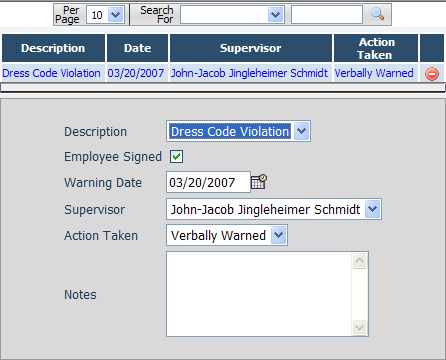
Fields
• Description – The reason the warning was given. The warning descriptions can be configured from the Company Misc Choices page.
• Employee Signed – Indicates if the employee signed the written warning.
• Warning Date – The date that the warning was issued to the employee.
• Supervisor – The name of the supervisor issuing the warning. The choices for warning supervisor can be configured from the Company Misc Choices page.
• Action Taken – The action taken as a result of this warning if any. The choices for warning action taken can be configured from the Company Misc Choices page.
• Notes – The text of the written warning, notes relevant to this warning or both.